 Loading... Please wait...
 IDR
IDR


- Home
- Ecourses, Ebooks & Business Spreadsheets
- ECOURSE - How to make printables in Affinity Publisher


)
Product Description
Due to the large number of files in the ecourse (35 video tutorials, downloadable worksheets, the ecourse will be delivered via my ecourses website. If you purchase you'll receive a PDF with instructions on how to enroll in the curse, or you can enroll directly via my ecourse website.
---------------------------------------------------
In this course I'll teach you how to make your own planner printables from start to finish using Affinity Publisher.
This software only came out in 2019 and is much cheaper (no subscription!) and more user friendly) than Adobe Indesign.
If you're looking for software with capabilities similar to Photoshop but as easy to use as Microsoft Word or Apple pages, then Affinity Publisher is the perfect software for you.
By the end of this course you’ll be able to:
- Create a planner printable in a few minutes
- Create a complete planner from start to finish including the cover, daily planner, weekly planner, monthly calendars, monthly planning, to do checklist, graph paper, lined notes, habit tracker, important dates page, budget, bill due checklist etc.
- You can create a planner that is exactly to your liking - you get to choose if the week starts on a Sunday or Monday
- How to use templates (which I teach how to make in the ecourse) to create more printables
- Create planner printables at any size you like
- How to add automatic page numbers
- Personalised planner cover (including how to make a monogram)
- Make lined pages to create a DIY notebook
- Recipes pages
- Insert a printable into Goodnotes or other digital planning app
By the end of this course you'll have a skill you can use to make your own planners & notebooks year after year.
SOME OF THE TUTORIALS IN THE COURSE INCLUDE:
There are 35 video tutorials ranging from 5 minutes to 25 minutes long. You can pause, restart, rewind and re-watch the tutorials as many times as you need.
Introduction to Affinity Designer
- Why use Affinity Publisher
- How to download Affinity Publisher
- Handy Keyboard Shortcuts
- How to set up a new file in Affinity Publisher (including print margins)
- How to set up landscape orientation printables
- How to add page numbers to your bullet journal or planner
- How to quickly set up your design and keep things consistent
Fonts
- How to Download and Install Fonts
- How to choose fonts (plus my favorite resources for free and paid fonts)
- How to use the text tools in Affinity Publisher
- 40 of the best cursive fonts for making printables
- 40 of the best simple fonts for making printables
Colors
- My Favorite Resources for Color Inspiration
- How to color match anything
- How to use the colors menu in Affinity Designer
Choose page size
- A Guide to page sizes
How to make the basics
- How to make lines (2 methods)
- Graph paper
- Cornell Notes page
How to make printables efficiently
- How to make printables quickly
- Design Ideas: How to quickly change 1 Template changed into 10 Different Styles
- Making portrait and landscape page orientation printables
How to Make Checklists
- Types of checklists you can create (list of 50)
- How to make checklist - Style 1
- How to make a checklist - Style 2
How to make calendars
- Tips for making calendars in Affinity
- 1 Page Monthly Calendar - Portrait Page Orientation
- 1 Page Monthly calendar - Landscape page orientation
- 2 Page Monthly Calendar - Style 1
- Monthly calendar (alternate design style)
- How to make a photo calendar
- Monthly Planning Page
How to make weekly planners
- Weekly planner section category ideas (40)
- Horizontal weekly planner (method 1)
- Horizontal weekly planner (method 2)
- Vertical Weekly Planner
- Vertical Hourly Weekly Planner
- Categories Weekly Planner in Excel - student, teacher, family
How to make a daily planner
- How to make a daily planner
How to make habit trackers
- Monthly habit trackers - Portrait and landscape page orientations
How to Make Add On pages
- Important Dates / Annual Overview Page
- Recipe printables
How to make budgeting printables
- How to make a bill tracker, spending log, income tracker and budget etc.
Using graphics with your printables
- How to make a stripe pattern and use it in your printables
How to Make Binder/Planner Covers
- How to make a monogram
- Binder Cover or planner cover
- Planner covers: design examples & resources
Preparing to Print
- My quality control checklist (Downloadable PDF)
- Which file format/s you should use
- Step by step video on how to combine files and print
- Page order & duplex printing
- Saving files for printing
- Combining files ready for printing
- How to resize printables to any page size using your printer
- Printing Tips
Making a digital planner
- How to import the printables you've made into a digital planner
Resources
- All About Planners' favorite resources for printables & planner supplies
- Thank You (Plus exclusive discounts)
- Become an affiliate
If you’d like to enroll in the ecourse, you can view the full sales page for the ecourse here
--------------------------------------------------------------
FREQUENTLY ASKED QUESTIONS
When does the course start and finish?
This is a self-paced online course - you will receive immediate access to the entire ecourse after your enroll (even if you pay via a payment plan). If you enroll now, you can have your first printable created with an hour! You can access the course as many times as you want. You can pause, rewind and re-watch the tutorials as many times as you need.
How long do I have access to the course?
Lifetime access!
What is your refund policy?
Due to the digital nature of the ecourse, no refunds will be given under any circumstances - serious buyers only please. If you have any questions please contact me via allaboutplanners@gmail.com before purchasing and I will get back to you A.S.A.P (I usually reply to emails within 24hrs - note that I am located in Australia - when it is 10am in L.A. it is 3am here!)
Software Requirements
The tutorials in this ecourse were made in Affinity Publisher: https://affinity.serif.com/en-gb/publisher/ It only costs $84.99 AUD and is a one time purchase, not a subscription like Adobe Products. I have seen it on sale multiple times for 50% off. I purchased my copy during Black Friday Sales for 50% off. To password protect my printables, I use Adobe Publisher (paid software).
What format is the course delivered in?
A mixture of video tutorials where you'll be able to see my screen and I show you what button to click and in what order. There are also downloadable PDF resources, helpful tips, lists of ideas of printables you can make (and what to include on those printables), my favorite resources for printing and assembling your planner, favorite graphic design resource websites, recommended fonts and plenty of design examples.
How long does the course take?
This is a detailed course, not just a quick 1 hour video tutorial. If you go through all of the videos and it will probably take a few days.
If you’d like to enroll in the ecourse, you can view the full sales page for the ecourse here
Click here to subscribe to the blog and access the free printables library!
Product Videos
Here's the link if you'd like to enroll in the course! http://buildabiggeronlinebusiness.teachable.com/p/how-to-make-planner-stickers Watch the first tutorial (getting started with Silhouette Studio) here: https://www.youtube.com/watch?v=GYa7guZVtJM Download my free resource guide with all the tools you need to get started making planner stickers! https://app.convertkit.com/landing_pages/187885 If you have any questions, just send me an email via allaboutthehousetsy@gmail.com :) Download my list of favorite tools and resources for making planner stickers: https://app.convertkit.com/landing_pages/187885 Don't forget to subscribe to my YouTube channel for more planner related & graphic design videos! If you don't have Silhouette Studio already, it can be downloaded for free here: https://www.silhouetteamerica.com/software Click this link to enroll in the course! http://buildabiggeronlinebusiness.teachable.com/p/how-to-make-planner-stickers ______________________________________ *** WHERE ELSE YOU CAN FIND ME *** Blog: https://allaboutplanners.com.au/ Access the free printables library: https://bit.ly/2hdKzpd Etsy Shop: https://www.etsy.com/au/shop/AllAboutPlannersshop Online shop: http://www.allaboutplannersshop.com.au/ Digital paper shop: https://www.etsy.com/au/shop/PaperCra... Ecourses: http://buildabiggeronlinebusiness.teachable.com/courses Pinterest: https://www.pinterest.com.au/allaboutplanners/ Instagram: https://www.instagram.com/all_about_planners/ Email: allaboutplanners@gmail.com
-
 How to make pl...Here's the link if you'd like to enroll in the course! http://...

Other Details
Find Similar Products by Tag
Product Reviews
Find Similar Products by Category
Related Products
-
-
-
 ECOURSE - How to make labels in Photoshop $625,095.14
-
-
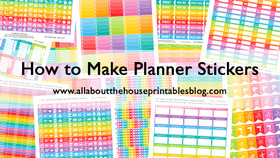 ECOURSE - How to make planner stickers $1,562,737.85