Loading... Please wait...
 AUD
AUD


- Home
- Editable & Instant Download Bundles
- Canva Recipe Book Template (fully editable and customisable)


, $10.00 (https://www.allaboutplannersshop.com.au/canva-templates/canva-recipe-book-template-fully-editable-and-customisable/))

Product Description
Create your own cookbook quickly and easily with this fully editable Canva cookbook template!
--- 85 PAGES INCLUDED ---
- Cover page (8 designs)
- Table of contents (4 designs)
- About the cookbook / author (4 designs)
- 18 Section divider designs
- 10 Photo only pages (can be used for step by step instructions in recipes, as additional section divider pages or anything else you like)
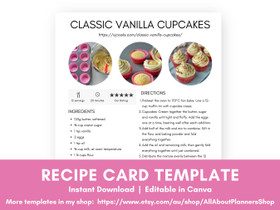
- 1 Recipe card (with 2 recipes on the page)
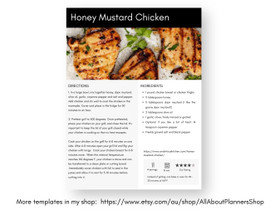
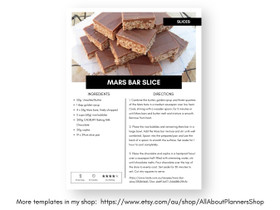
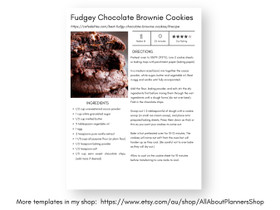
- 30 Full page recipe cards
- 5 Additional recipe cards to use as needed (e.g. detailed step by step photo instruction pages, long recipes, recipes that need more space to write the ingredients)
- Kitchen conversions page
- Cooking tips page
- Weekly Meal Planner (Monday & Sunday week start versions)
- Monthly Meal Planner (Monday & Sunday week start versions)
- Back cover
Example / completed pages are included to give you some ideas for laying out your book, and also some recipes to get you started.
A PDF file with instructions on how to edit the template is also included.
______________________________________
WHAT DOES EDITABLE IN CANVA MEAN?
You can:
✔ Change font style
✔ Change font colors
✔ Change background colors
✔ Choose which pages to include in your cookbook. You can also delete pages out of the template that you don't need
✔ Drag and drag photos straight into the template - no resizing needed
✔ Use each of the templates as many times as you like
✔ Edit with unlimited revisions
✔ Minimalist black and white theme, or you can change the colors to match your brand or personal preference
This template will work in both the free and paid versions of Canva.
______________________________________
MAKING A DIY COOKBOOK AT HOME
The template is in US letter size (8.5 x 11"). However, after you have finished your cookbook and have downloaded to PDF, the pages can be printed at US letter half size, A4, A5, junior arc size, Filofax, Plum Paper, Happy Planner or any other size you like. Please see this post from my blog for printing instructions: https://allaboutplanners.com.au/faq/printing-tips/ (basically you just need to tick the box ‘fit to page’) in your printer’s menu.
For tips on setting up your recipe binder, see this post from my blog:
https://allaboutplanners.com.au/how-to-organize-recipes-plus-a-free-printable-recipe-binder/
______________________________________
GET THE COOKBOOK PROFESSIONALLY PRINTED
If you would like to have your cookbook printed into a physical book, I recommend blurb. See my review of how I used them to make my travel photobooks in this post from my blog:
https://allaboutplanners.com.au/how-i-make-my-travel-photobooks-using-blurb-detailed-tutorial-and-review/
______________________________________
PLEASE READ
You will need the free or paid version of Canva to use this template.
Please note that this is a digital product and no physical product will be sent. File will be available for instant download after payment has cleared - please check the email address used to purchase the item, for the link to the download page. Note: the email may go to your spam/junk folder. In that email will be a link to acess the template in Canva.
Colours may vary depending on your monitor and printer.
This Canva template is for personal use only, it cannot be resold. However, it is ok to sell a finished cookbook in PDF file format or printed format.
There are no refunds on digital items.
______________________________________
© All About Planners
Shop blog: https://allaboutplanners.com.au/
Click here to subscribe to the blog and access the free printables library!