 Loading... Please wait...
 EGP
EGP


Recent Posts
How to make use of blank pages in your planner
Posted on

So you've bought a planner or notebook and it has a bunch of blank notes pages - but what do you do with them?!
I had the same problem but solved it by creating these cute notes page title stickers:
Included are 4 different styles of flags:


To use these stickers:
- Print onto full sheet label paper (it doesn't have to be Avery, see this blog post for a list of places where you can buy sticker paper from)
- Cut
- Peel and stick to your notes pages
- Write the title for your list on the sticker (there are 2 designs - one with a colored flag and another with white writing space on the flag)
You can also print onto paper or cardstock and use glue to adhere to the notes pages.
For printing tips, watch the video below:
Some ways you could use these stickers:
- To do list
- Wish list
- Grocery list
- Shopping list & errands
- Books to read
- Journaling
- Goals
- Daily, weekly or monthly planning (write the date, week of, or month of on each sticker)
- Any other lists you like
- Organizing school notes (write the subject on the stickers - there are 8 colors so you can use a different color per subject)
- Recipes (the stickers come in 8 different colors - perfect for color-coding! E.g. chicken, beef, lamb, vegan, cookies, cakes etc.)
And by ruling a page in half you can create 2 lists per page :)
Other ideas for using blank note pages:
- Meal planning
- Keeping track of spending
- Party planning (guest list, shopping list, party activities etc.)
- Glue printable planner inserts to blank notes pages (such as cleaning zones and weekly meal planning)
You can print letter size (8.5 x 11", full page size or A4 page size) at any size you like including Erin Condren, Plum Paper, half page size, personal planner size or any other size you like. Please see this blog post for printing tips & step-by-step instructions.
Other products you make be interested in
I have over 350 printable planner stickers in my shop!

These matching rainbow planner tabs can be used for any size (and type) of planner.

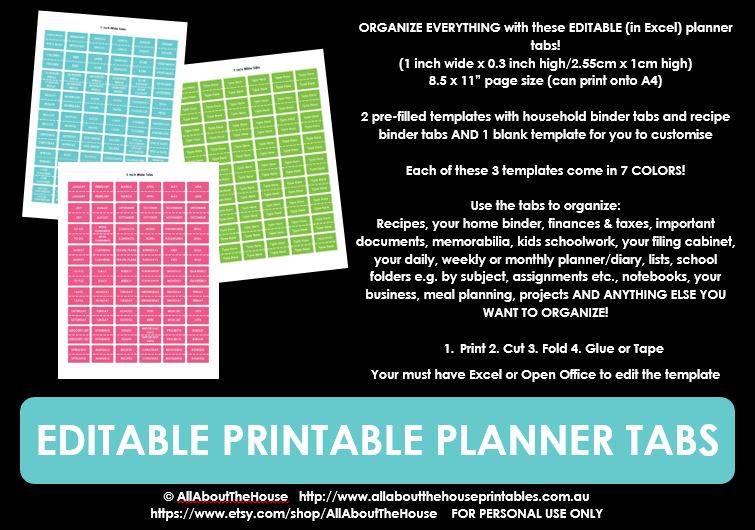
Or these editable (in Microsoft Excel) planner tabs:


How do you use the blank notes pages in your planner?
 How to Make Printables in Photoshop.